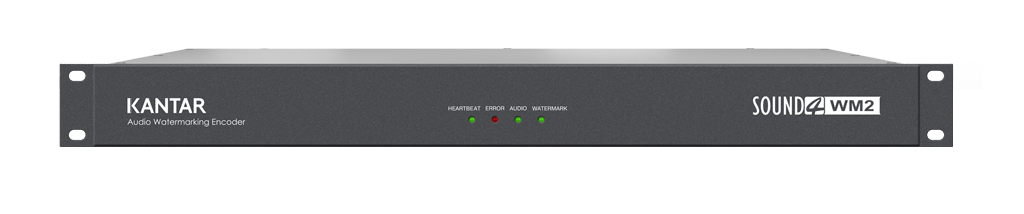

All you need for installing your Kantar-Media WM2
Upgrades & Version history
Upgrades & Version history
WM2 Kantar firmware upgrades
To upgrade your processor, please download the release or preview version. Then connect your processor via HTML. Once logged in, open Setup and select "Upgrade." Finally, select the upgrade file you have downloaded. IMPORTANT: Follow the procedure until the end. You will need to confirm certain steps.
Release version v1.13 - 2022-10-12

Preview version v1.18 - 2025-01-23
WM2 Kantar earlier versions
WM2 Kantar firmware version history
1.18
(Preview - 2025-01-23)
- Corrected RTP timestamps when synchronized on PTP
1.17
(Preview - 2025-01-10)
- Delay: be sure to have always the same delay for the watermarking audio across restart
1.16
(Preview - 2024-11-26)
- RTSP: Correct URL escaping, handle OPTIONS
1.15
(Preview - 2024-07-03)
- Web Interface : protect combo for invalid values, which can prevent the interface from displaying (on a change of Kantar License for instance).
1.14
(testing - 2024-05-28)
- AES67: HTTP requests for RTSP corrections
- by-id starts at 1 for channel 1 (instead of 0)
- Correct support for /by-name/
1.13
(2022-10-12)
- AES67: interface allows multiline SDP to be entered.
- AES67: RTSP server supports HTTP request to get the SDP with http://<SOUND4_WM2_IP>:8854/by-id/<stream number>
BUG: /by-id/ numbers start at 0 instead of 1
1.12
(Preview 2022-09-12)
- More detailed information on PTP clock and synchronization.
1.11
(2022-10-07)
- Force the rate of NTP requests after an upgrade without needing to change the NTP servers
1.10
(Public - 2022-09-22)
- Reduce rate of NTP requests in local networks, to avoid being rejected.
- Correct AES67 daemon crash when SAP source is lost
- Correct AES67 releasing of unused slots, to avoid "command failed" when starting the 65th AES67 stream
BUG: the rate of NTP requests is not reduced if you upgrade from another version. You have to change the NTP servers and put them back to apply the change.
1.9
(Testing - 2022-09-06)
- Correct web server when too many advertising : websocket was disconnecting
- Correct AES67 handling of RTSP for xNode compatibility : support extra empty line, accept error code instead of ANNOUNCE.
1.8
(Public - 2022-06-29)
- Digital output (AES3) default to consumer mode, can be changed to Professional (EBU Tech 3250 minimum implementation : no CRC)
1.7
(Validating - 2022-06-14)
- Correct the audio engine to avoid sample misalignment on heavy loads
1.6
(Public - 2022-05-13)
- Show alerts even when not logged
1.5
(Public - 2022-05-12)
- Add SNMP trap for NTP server change
1.4
(Testing - 2022-05-09)
- Increase timeout for upgrade with very slow Internet connection
SOUND4 Standalone Ethernet Setup downloads (Software tools)
This tool is dedicated to In-Box Products, especially for those that don't allow Admin Ethernet IP setup from the front panel (e.g., BIG VOICE²). The software performs an automatic network discovery to find connected SOUND4 In-Box products and enables Admin Ethernet IP configuration.
Important: This software also installs WinPcap, a required third-party application.
Release version v1.2.0 - 2025-01-29
SOUND4 Standalone Ethernet Setup earlier versions…
SOUND4 Standalone Ethernet Setup changelog
1.2
1.2.0
(PUBLIC 2025-01-29)
- Added WM2 in selection combo
1.1
1.1.3
(In progress)
- Added BigVoice4 in selection combo
- Linux only: correct possible crash with some weird interfaces like some VPN
1.1.2
(2020-06-23)
- Linux Only: can run in console mode (without X server)
1.1.1
(2019-10-11)
- Accept multiple MAC for a single Serial
1.1.0
(2018-03-09)
- Correction in case of multiple interface, offers seen on all, so may send config to bad one.
 Made with Bullet